DCF calculator — Discounted Cash Flow
This DCF calculator estimates the intrinsic value of a stock using the discounted cash flow method. It works for US stocks (NYSE, NASDAQ), European listings and other international markets.
FX Editorial Team Updated: May 26, 2026 How to use it?
Two modes — simple for a quick estimate by entering FCF directly, and advanced for a full revenue-build model. In advanced mode individual line items can be toggled off — anything switched off counts as zero in both the calculation and the detail table. The currency (USD, EUR, HUF) is selectable. Enter the financials as whole integers straight from the statements.
Mode and currency
Mode
Input
Currency
Cash flow
Valuation
Valuation
Fair price per share
348 €
- Enterprise Value
- 179.1 B
- Equity Value
- 174.1 B
- % from terminal
- 64 %
Capital structure
Upside/Downside
+132.2 %
Fair price per share: 348 €Share price: 150 €Forecast horizon: 10 yrs
Projection
- Present value
- FCFF
- Disc.
Detail
| Year | FCF | Disc. | PV |
|---|---|---|---|
| 1 | 5.8 B | 1.10× | 5.2 B |
| 2 | 6.6 B | 1.21× | 5.5 B |
| 3 | 7.6 B | 1.33× | 5.7 B |
| 4 | 8.7 B | 1.46× | 6.0 B |
| 5 | 10.1 B | 1.61× | 6.2 B |
| 6 | 11.6 B | 1.77× | 6.5 B |
| 7 | 13.3 B | 1.95× | 6.8 B |
| 8 | 15.3 B | 2.14× | 7.1 B |
| 9 | 17.6 B | 2.36× | 7.5 B |
| 10 | 20.2 B | 2.59× | 7.8 B |
| PV terminal | 114.8 B | ||
| Enterprise Value | 179.1 B | ||
Sensitivity analysis
| WACC \ g | 2.0 % | 2.5 % | 3.0 % | 3.5 % | 4.0 % |
|---|---|---|---|---|---|
| 8.0 % | 452 € | 483 € | 520 € | 565 € | 621 € |
| 9.0 % | 375 € | 395 € | 419 € | 447 € | 481 € |
| 10.0 % | 318 € | 332 € | 348 € | 367 € | 389 € |
| 11.0 % | 274 € | 284 € | 296 € | 309 € | 324 € |
| 12.0 % | 239 € | 247 € | 255 € | 265 € | 275 € |
The DCF model is a simplified estimate. This calculator does not constitute investment advice.
Important disclaimer
The DCF model rests on projections of future cash flows that involve many assumptions. Calculations are approximations; real-world market value can diverge. Consult a qualified financial adviser and consider multiple valuation methods before any investment decision.
How to use the DCF calculator
The discounted cash flow (DCF) model estimates a stock's intrinsic value from its future cash flows. The calculator offers two input styles (FCF or revenue) and a simple/advanced mode.
-
Pick the input and the mode
In From FCF mode you enter free cash flow directly; in From revenue mode you enter revenue, EBIT margin and tax rate. Advanced mode adds D&A, CAPEX, NWC and a phase-2 growth rate.
-
Fill in the valuation parameters
WACC (discount rate, typically 7–15 %), terminal growth (2–3 %), forecast horizon (5–10 years), net debt and shares outstanding. Optionally the current market price for the upside/downside calculation.
-
Read the result
You get the fair price per share, Enterprise and Equity Value, the upside/downside in %, the share of value coming from the terminal, and a sensitivity table (WACC × terminal growth matrix).
What DCF is, and why every investor should care
DCF (Discounted Cash Flow) is one of the most widely used methods for working out what a stock "should" be worth. The idea is straightforward — a company is worth the cash it will produce in the future. The catch is that a euro five years from now is worth less than a euro today (because of inflation, risk and the opportunity cost of holding the money). So future cash flows are "discounted" — converted back to today's terms.
The output of a DCF analysis is an estimate of the fair (intrinsic) price per share. You compare it against the actual market price. If fair value is materially higher, the stock may be undervalued — and vice versa. The calculator works on US stocks (NYSE and NASDAQ), European listings and other international markets — just switch the currency.
Simple mode
You only need four key inputs: the company's FCF (how much cash it produces each year), the expected FCF growth, the WACC (discount rate) and the terminal growth. Add shares outstanding, net debt and optionally the current price. The whole calculation takes seconds. Enter all financials (revenue, FCF, debt, shares) as whole integers for the trailing twelve months (TTM) — just paste the raw figure from the statements. The calculator formats the digit groups for readability.
You'll find a company's FCF on financial portals (Yahoo Finance, Macrotrends, Finviz) or in the annual report under "Free Cash Flow" — operating cash flow minus capital expenditures.
Advanced mode
To tailor the model further, switch to advanced mode. Here you start from revenue, and the calculator builds up operating income (EBIT), after-tax operating profit (NOPAT), adds depreciation, deducts capex and the change in working capital. The result is FCFF — free cash flow to the firm.
Every optional input (revenue growth, margin, tax, D&A, CAPEX, NWC) can be toggled off with a checkbox. A disabled field counts as zero in the calculation and disappears from the detail table. Required fields are marked with a blue dot — without them the model cannot run.
Where to source the numbers
The most common question from newcomers. Here is the quick map:
Revenue — income statement, top line. On Yahoo Finance: Financials → Income Statement. Use the trailing twelve months (TTM) and paste the full number — e.g. revenue of 394,328,000,000 goes in as 394328000000; the calculator displays it as 394 328 000 000.
EBIT margin — operating income divided by revenue. Some portals show it directly.
FCF — cash flow statement. On Yahoo Finance: Financials → Cash Flow → Free Cash Flow. Again TTM, paste the raw figure.
WACC (discount rate) — no single canonical source. 10 % is a safe starting point. More precisely, it is computed from the cost of equity (CAPM) and the cost of debt. Sites like gurufocus.com publish per-company WACC values.
Shares outstanding — Yahoo Finance, Statistics → Shares Outstanding. Use the diluted count. Paste the full integer — e.g. 15 115 000 000.
Net debt — total debt minus cash from the most recent balance sheet. On Yahoo Finance: Financials → Balance Sheet. Paste the full number.
What the results mean
Fair price per share is the headline output of the model. It is computed by taking the company's total value (Enterprise Value), subtracting net debt, and dividing by shares outstanding.
Enterprise Value is the sum of all discounted future cash flows, including the terminal value. It represents the company's total value — to both equity holders and debt holders.
Equity Value is Enterprise Value after subtracting net debt. It is what belongs to shareholders.
Upside / Downside shows by how many percent the computed fair price sits above or below the current market price. A positive number (green) signals undervaluation; a negative number (red) signals overvaluation.
% from terminal indicates the share of the total valuation that comes from the terminal value. If it exceeds 80 %, the result is heavily dependent on long-term assumptions — which are the least reliable ones.
Gordon Growth vs Exit Multiple
The calculator offers two ways to compute the terminal value:
The Gordon Growth Model is the theoretical route. It assumes the company grows at a steady rate forever after the forecast period (typically 2–3 %). The formula is simple: terminal value = next year's FCF divided by (WACC minus terminal growth). The key rule — terminal growth must be lower than WACC, or the formula breaks down.
The Exit Multiple is the more practical route. It takes the EBITDA of the final forecast year and multiplies it by the multiple at which comparable companies trade in the sector. If tech companies trade at 15× EBITDA, you use that multiple. The advantage is that it directly reflects market reality.
Recommendation — compute both. If they produce similar numbers, the input assumptions are probably reasonable. If they diverge materially, it is worth revisiting them.
How to read the sensitivity table
The sensitivity table is arguably the most useful part of the calculator. It shows how the fair price changes as you nudge WACC or terminal growth. Rows correspond to different WACC values, columns to different terminal growth rates.
Green cells mean the stock would still be undervalued under that combination. Red cells mean overvaluation. The blue-highlighted cell corresponds to the values you have currently entered.
The key question — in how many cells is the stock undervalued? If most of the table is green, the valuation is relatively robust. If only a narrow strip is green at the most optimistic assumptions, the investment thesis is fragile.
Key limitations of the DCF model
DCF is a powerful tool but it has clear limits worth knowing:
Sensitivity to inputs — a 1 % change in WACC can shift the result by 20–30 %. That is why sensitivity analysis and a conservative approach to assumptions matter so much.
Constant assumptions — the calculator uses the same margin and growth rate across the whole forecast period. Real companies go through phases — rapid growth, deceleration, maturity. More sophisticated models use year-specific assumptions.
Terminal value — often 60–80 % of the total result, while capturing 10+ years of future cash flows. It is an estimate built on top of an estimate.
What the model ignores — management quality, brand strength, competitive moats, regulatory risk, the macro backdrop, one-off events, potential acquisitions or sector shifts.
Companies where DCF struggles — loss-making startups, banks (different balance-sheet structure), highly cyclical businesses (steel, oil), companies in restructuring.
Practical tips
Be conservative — it is better to underestimate growth and overestimate risk. If a stock still looks cheap under conservative assumptions, that is a stronger signal than an optimistic model showing mild undervaluation.
Combine with other methods — cross-check the DCF result against the P/E multiple, EV/EBITDA, and the valuations of peers. When every method points the same way, the conclusion is more robust.
Refresh the model — inputs change with each quarterly report. A model built on a year-old dataset can be materially off the current reality.
Frequently asked questions
What is the DCF model and what is it for?
How do I know if a stock is undervalued?
What is WACC and what value should I use?
Where do I find a company's FCF?
What is the difference between simple and advanced mode?
What is terminal value and why does it matter so much?
What terminal growth rate should I pick?
Gordon Growth or Exit Multiple — which is better?
Why does DCF give a completely different result from the market price?
Can DCF be used on any company?
What does margin of safety mean?
How do I read the sensitivity table?
Calculators
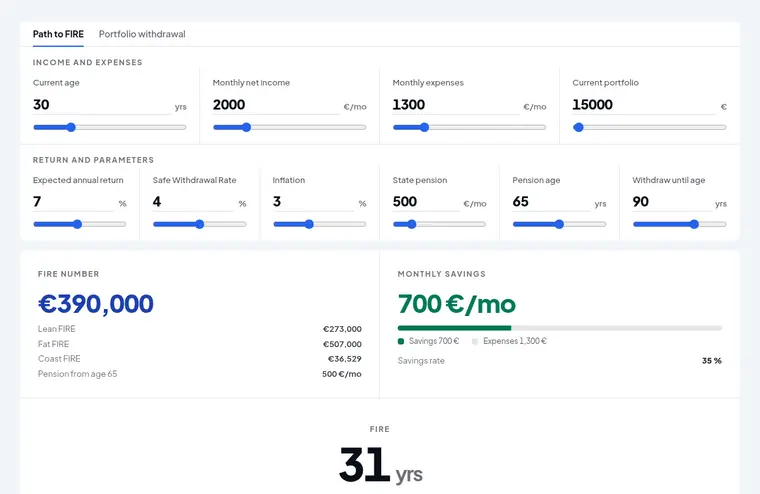 FIRE calculator — financial independence
 The FIRE (Financial Independence, Retire Early) calculator runs in two modes. Path to FIRE projects how many years until you reach independence, complete with milestones, a cash-flow chart and the drawdown phase that follows.
-
 Compound interest calculator — investment growth
Investment planning
-
 Pip value calculator
Forex
-
 Fund vs ETF fee calculator
Cost comparison